
Stop Paying for Idle Time: Meet the Engine Report
Every minute a vehicle sits running in a parking lot, you’re paying for fuel that gets you nowhere. Across a whole fleet, those minutes add up to real money and extra wear on every engine.
The Engine Report in the GPS Track Fleet Portal shows you exactly how much your vehicles idle, where it happens, and how much fuel it’s burning, so you can cut the waste and keep more of what you earn.
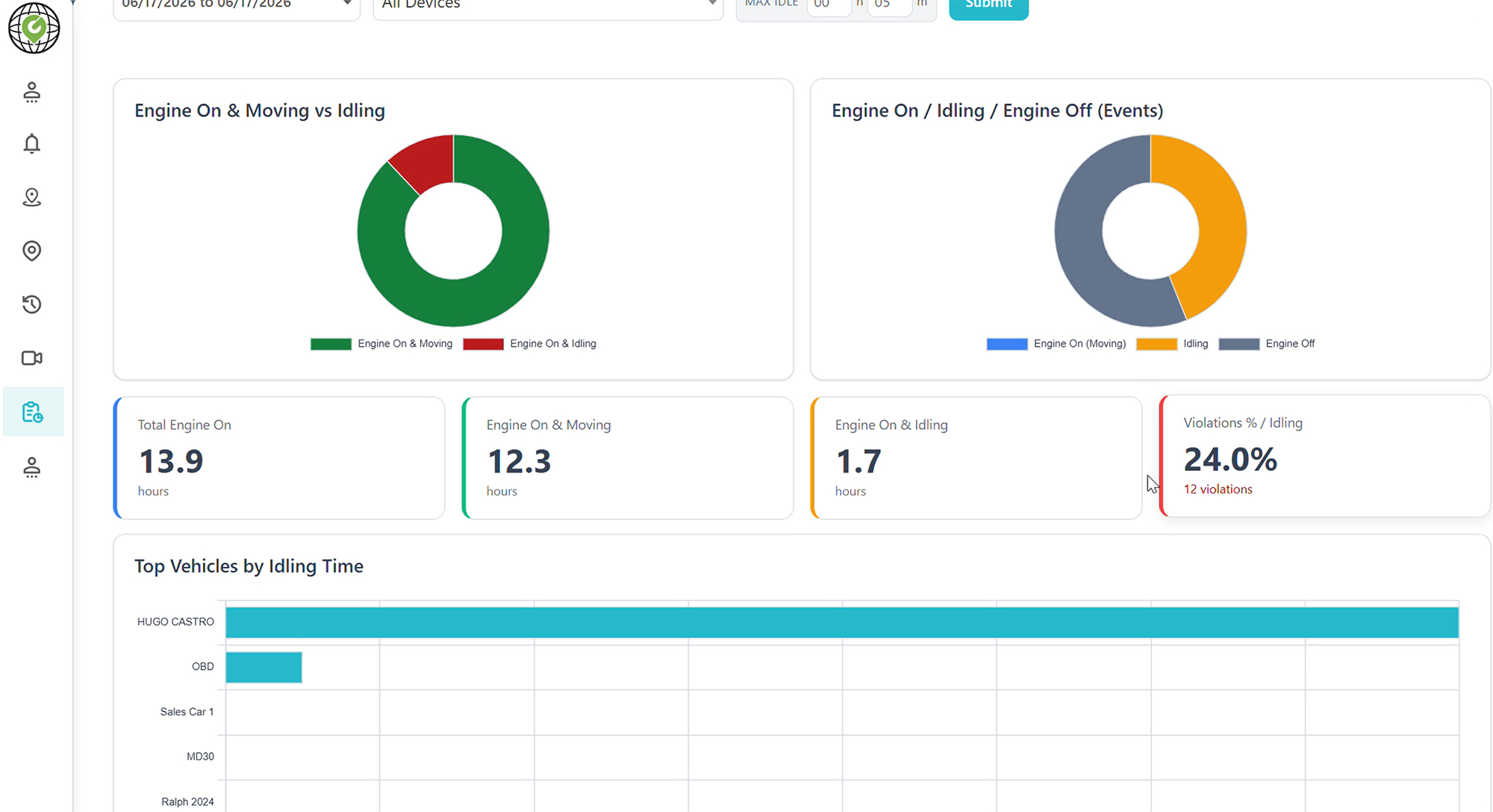
See Where Your Fuel Is Really Going
The Engine Report breaks down engine activity for your whole fleet or a single vehicle over any date range you choose. In one place, you’ll see:
You Set the Limit
Not every stop is a problem. With the Max Idle setting, you decide how long a vehicle can idle before it counts as a violation, whether that’s 5, 10, or 15 minutes. The report flags anything over your limit, so you focus on the idling that actually costs you.
Numbers only matter if you can act on them. The Engine Report is built to point you to the fix:
Cutting unnecessary idle time pays off in more than one way. You spend less on fuel, your engines rack up fewer hours of wear, and your fleet runs more efficiently overall.
The Engine Report is included in the GPS Track Fleet Portal, right alongside the tracking you already use. Pull it up anytime from Reports, set your idle limit, and start finding savings that have been hiding in plain sight.
Want to learn more?
Whether you run a few work trucks or a large fleet, we can show you how the Engine Report and the rest of the GPS Track Fleet Portal help you cut costs and keep vehicles on the road.